ChatGPT
ChatGPT supports Custom MCP connectors on Plus, Pro, Business, Enterprise and Edu. You enable Developer Mode once to add the app — after that you can turn Developer Mode back off, and the connector stays in place and keeps working.
Full MCP support including write actions is currently rolling out on Business, Enterprise and Edu. Read access works reliably on Plus and Pro; write tools are still partially gated.
Setup
1. Copy the MCP URL from the portal
In the inboxmcp portal under Integrations
you'll find your MCP URL — format: https://mcp.inboxmcp.io/mcp.
2. Enable Developer Mode in ChatGPT
Open ChatGPT's settings and switch to Apps on the left. On the right, click Advanced settings.
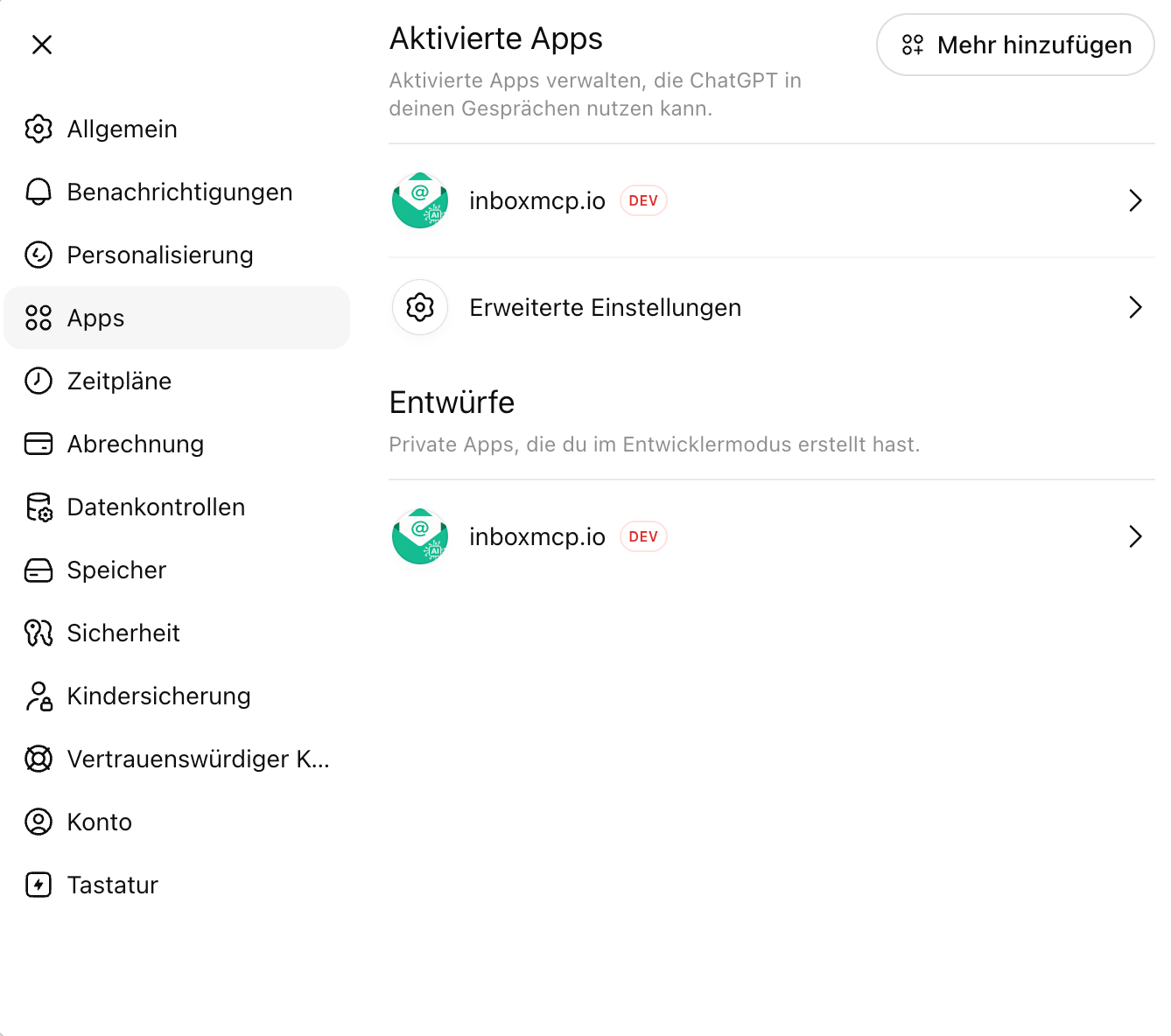
Flip the Developer Mode switch. The "Increased risk" warning is OpenAI's standard notice for connectors they haven't verified themselves — it applies to every custom MCP server the same way.
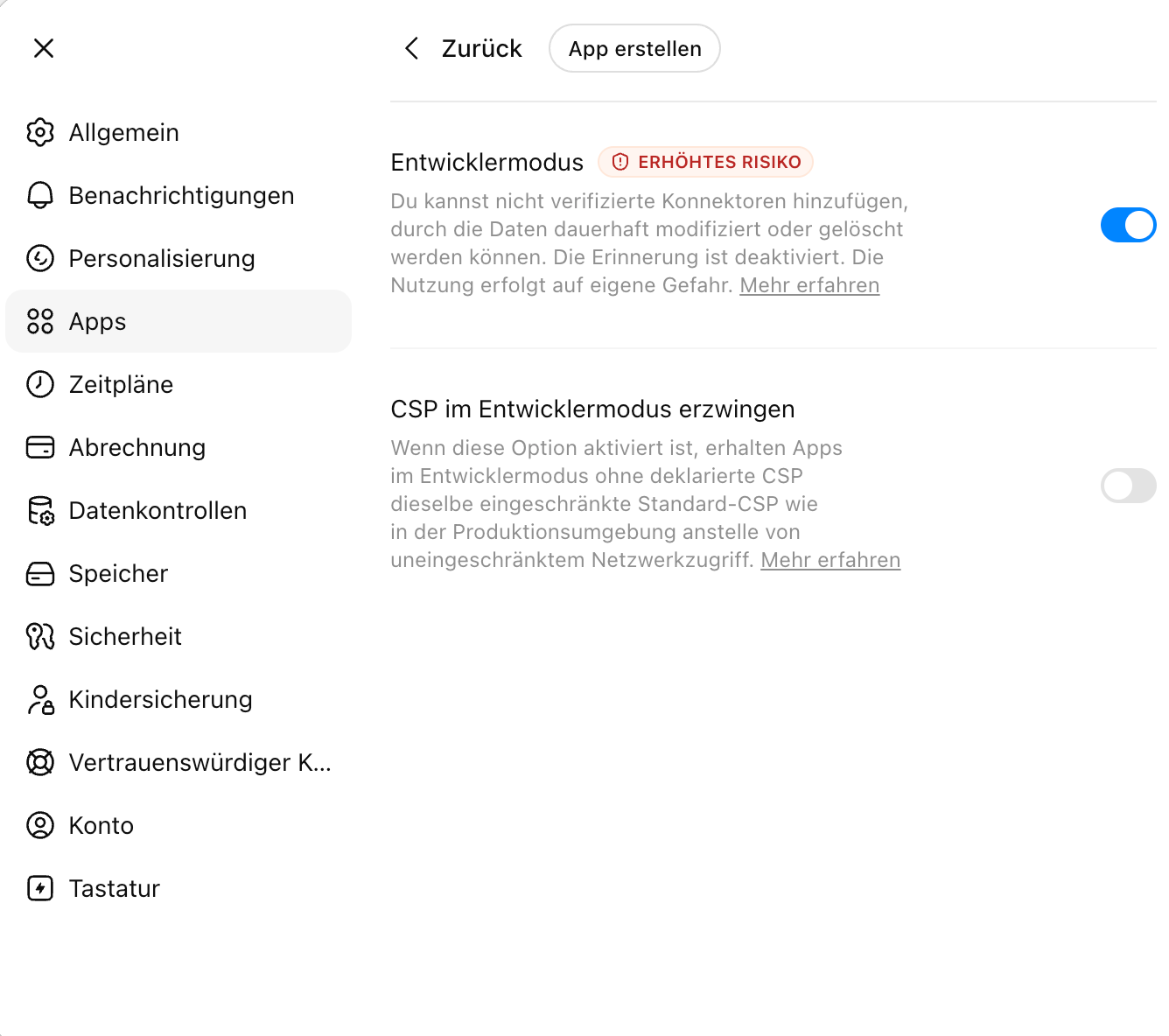
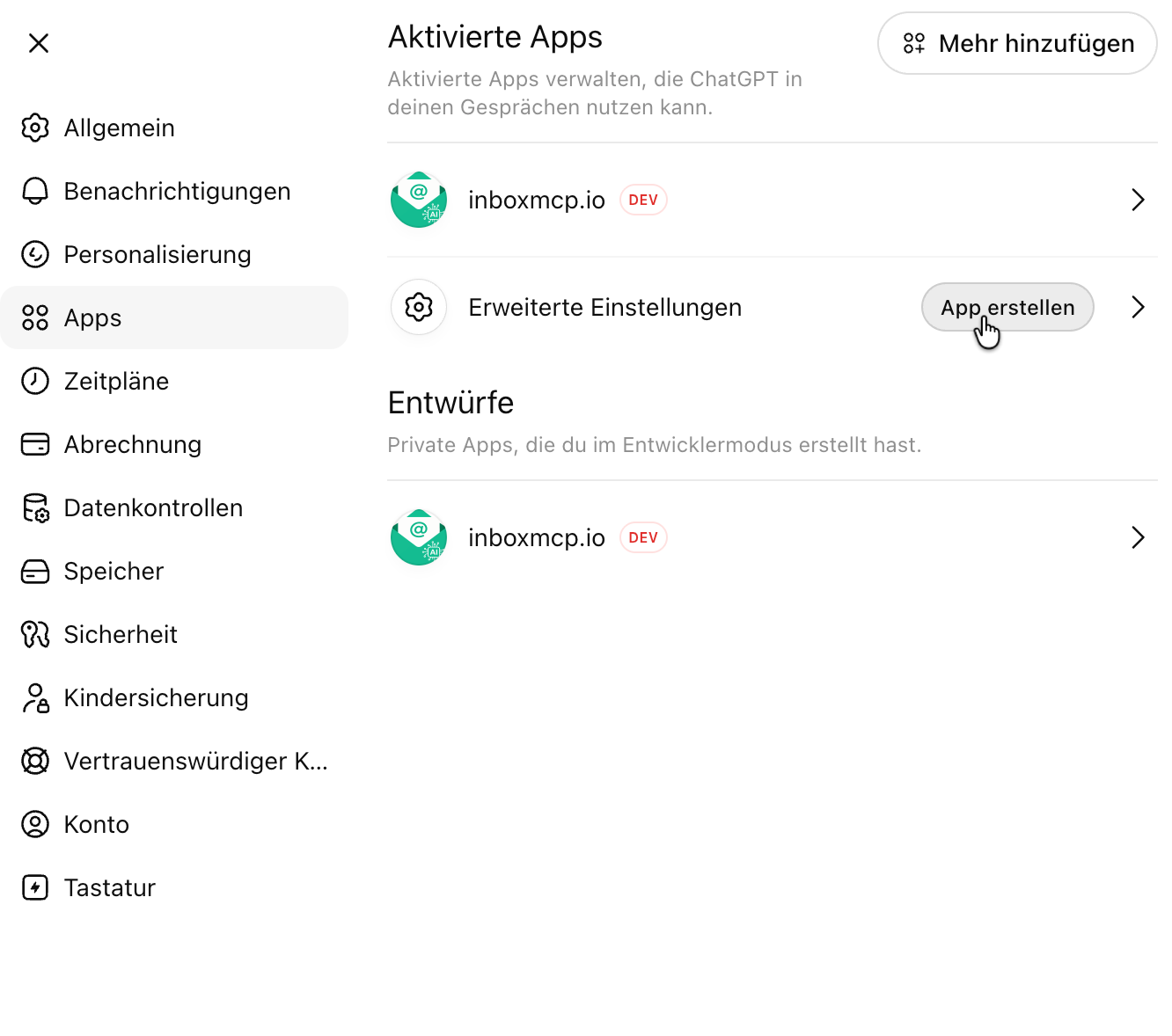
3. Create the app
Back in the Apps section. Next to "Advanced settings" you'll now see a Create app button — click it.
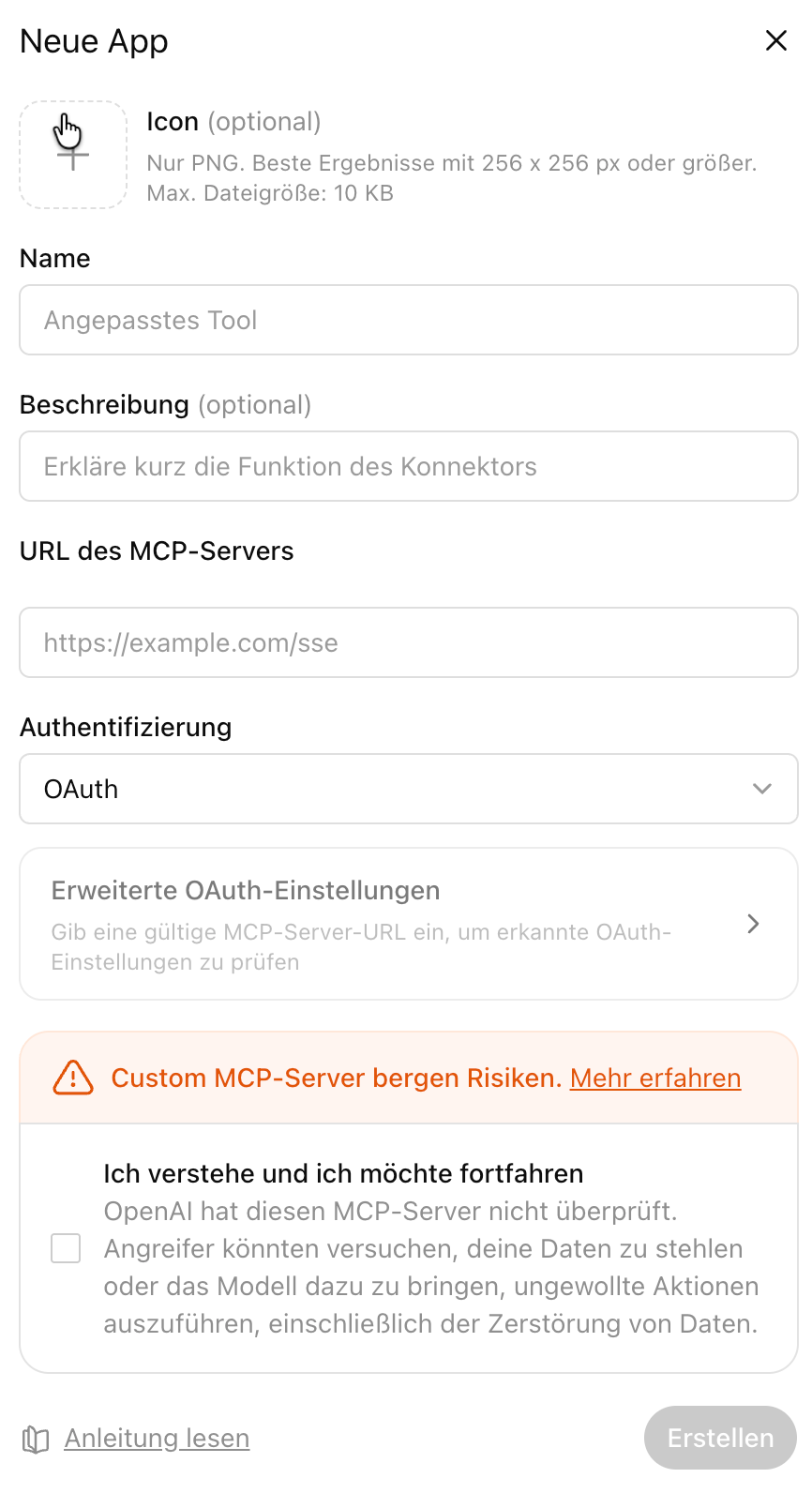
In the New app dialog, fill in:
- Name: e.g.
inboxmcp.io - MCP server URL: the MCP URL from step 1, i.e.
https://mcp.inboxmcp.io/mcp - Authentication:
OAuth - Confirm the risk notice and click Create
ChatGPT then opens the OAuth flow in your browser. Sign in to inboxmcp and confirm access — the app is set up.
4. (Optional) Turn Developer Mode off again
Once the app is created, you can switch Developer Mode off again under Advanced settings. The inboxmcp app stays connected under Active apps and keeps working.
What ChatGPT can do now
- List and search mailboxes
- Read individual messages, including attachments
- With Premium / Business: create drafts, move messages, manage folders
The tools available depend on your inboxmcp plan — see MCP tools overview.
Disconnect
In ChatGPT: Settings → Apps → inboxmcp.io → Remove. This invalidates the OAuth token on the inboxmcp side; further access is blocked immediately.
Notes
- Plan requirements: Plus, Pro, Business, Enterprise, Edu. The free plan does not currently offer this feature.
- App directory: inboxmcp is in review for OpenAI's official app directory in parallel. Once the listing is live, inboxmcp can be installed from there without Developer Mode — status on the roadmap.